Release 2026.1
Coming in January: AI tools for documentation, the possibility to try out new features, and more.
MCP Server for Documentation
The Haystack Platform documentation is now available as an MCP server that you can connect to your AI assistant to search this documentation directly. The server URL is:
https://docs.cloud.deepset.ai/api/mcp
You can copy it and add to your AI assistant's settings. For detailed instructions, see Using Haystack Enterprise Documentation with AI.
Easy Copying of Documentation Pages
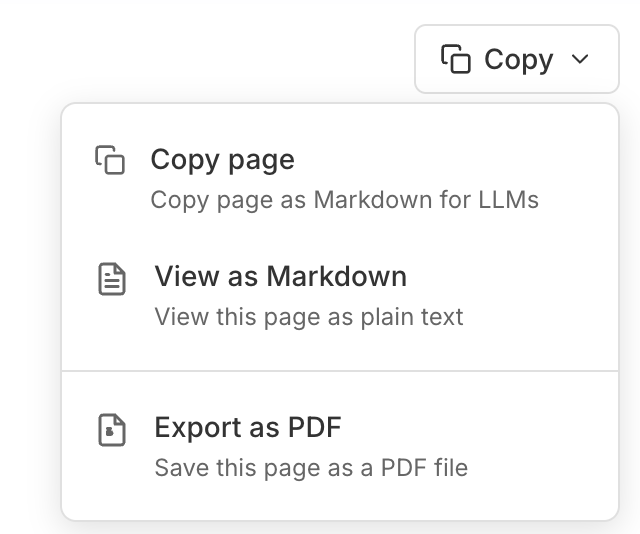
To make the documentation easier to use with LLMs, we've added a new Copy button to the top right corner of each documentation page. The button copies the page as Markdown you can paste into an LLM chat window. You can also export the page as PDF or Markdown using the button. We hope this helps!
Enabling Experimental Features
Try out the features we're still working on to get early access to new functionality. Go to Settings and enable the features you want to test. For details, see Enabling Experimental Features.
Agent Improvements
We're continuing to work on the Agent component. This January, we're bringing two improvements:
- Pipeline tools in Builder: You can add existing pipelines as tools to your Agent using the visual panel. For details, see Configure an Agent.
- Advanced Agent configuration tab: Configure advanced model and agent parameters on the Agent component card. For details, see Configure an Agent: Advanced Settings.
No more YAML editing for Agent configuration. You can do it all in the visual panel.
Was this page helpful?