Release 2025.12
Starting with December, you can add custom code to your pipeline using the new Code component.
Introducing the Code Component
Easily add custom Python code to your pipeline, without the need to create a full custom component. Just drag the Code component from the Component Library and add your code to the code parameter.
The Code component is perfect for adding code that:
-
Is scoped to a single pipeline
-
Uses standard dependencies available in Haystack Platform
-
Doesn't need to be shared with the rest of the organization
-
For instructions on how to add a
Codecomponent, see Add a Code Component. -
For explanation of the component, see Code Component.
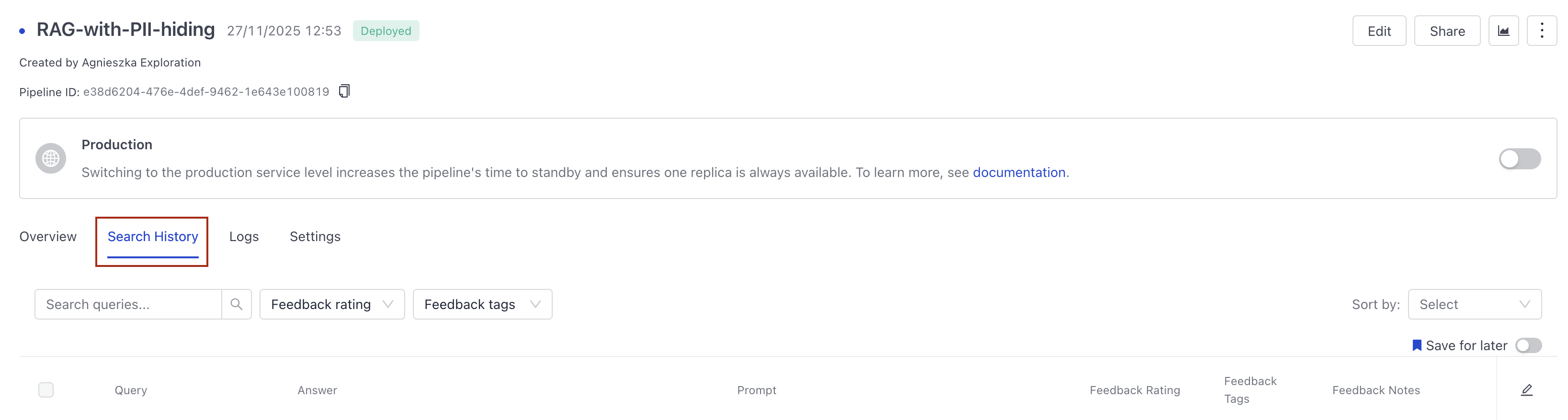
Pipeline Search History on the Pipeline Details Page
View and download the search history for a pipeline right in Haystack Enterprise Platform. No need to use the API. Click the name of your pipeline to open its details and you'll find its complete search history, including all feedback, in the Search History tab.
You can also download it as a CSV file with customized columns.
Custom Code as an Agent's Tool
Enhance your Agent with custom Python code as a tool. Choose Code as the tool type and let Builder guide you through the process. Your code is immediately validated so you can easily debug it before deploying the Agent.
For an overview of how it works, see Agent Tools. For instructions on how to add a custom tool, see Configure an Agent.
AI Assistant for Custom Code
We've added an AI assistant to the Code component and the code tool type for the Agent. Click AI Assistant in the code editor, type what you need, and let the AI work for you. No need to worry about the correct code syntax and the like.
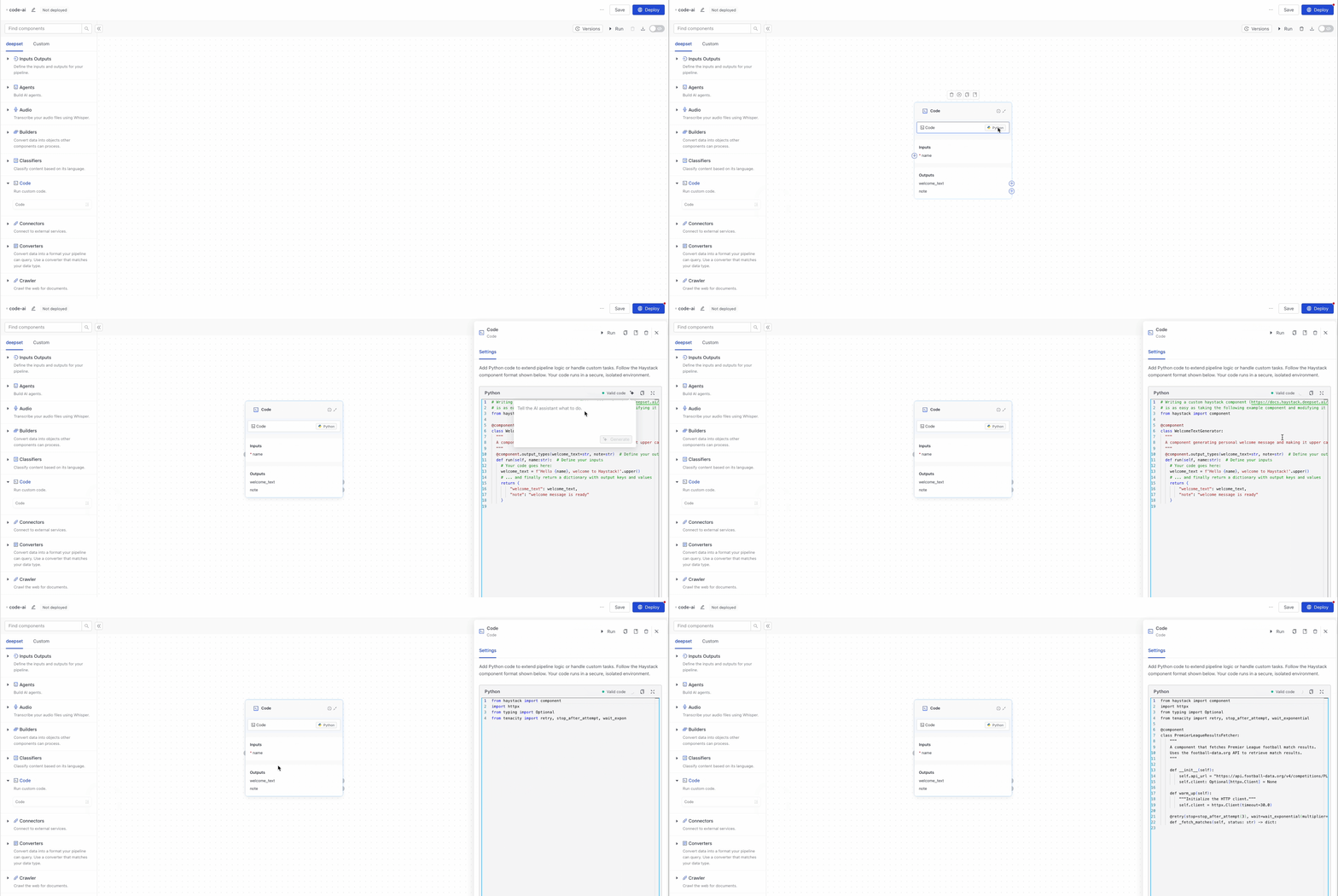
For details, see Configure an Agent or Add a Code Component.
Was this page helpful?