Add Custom Model Definitions
Configure custom model configurations to use in your pipelines. Custom models let you define YAML configurations for models and reuse them across pipelines.
About This Task
With custom models, you can:
- Use models from providers beyond the standard integrations.
- Configure model parameters and generation settings for your use case.
- Create reusable model configurations for your organization or workspace.
- Set custom API endpoints and authentication methods.
A custom model definition is a reusable configuration for a model. It can include a specific model, its parameters, or both. For example, you can define an OpenAI model with custom parameters and reuse it across multiple pipelines.
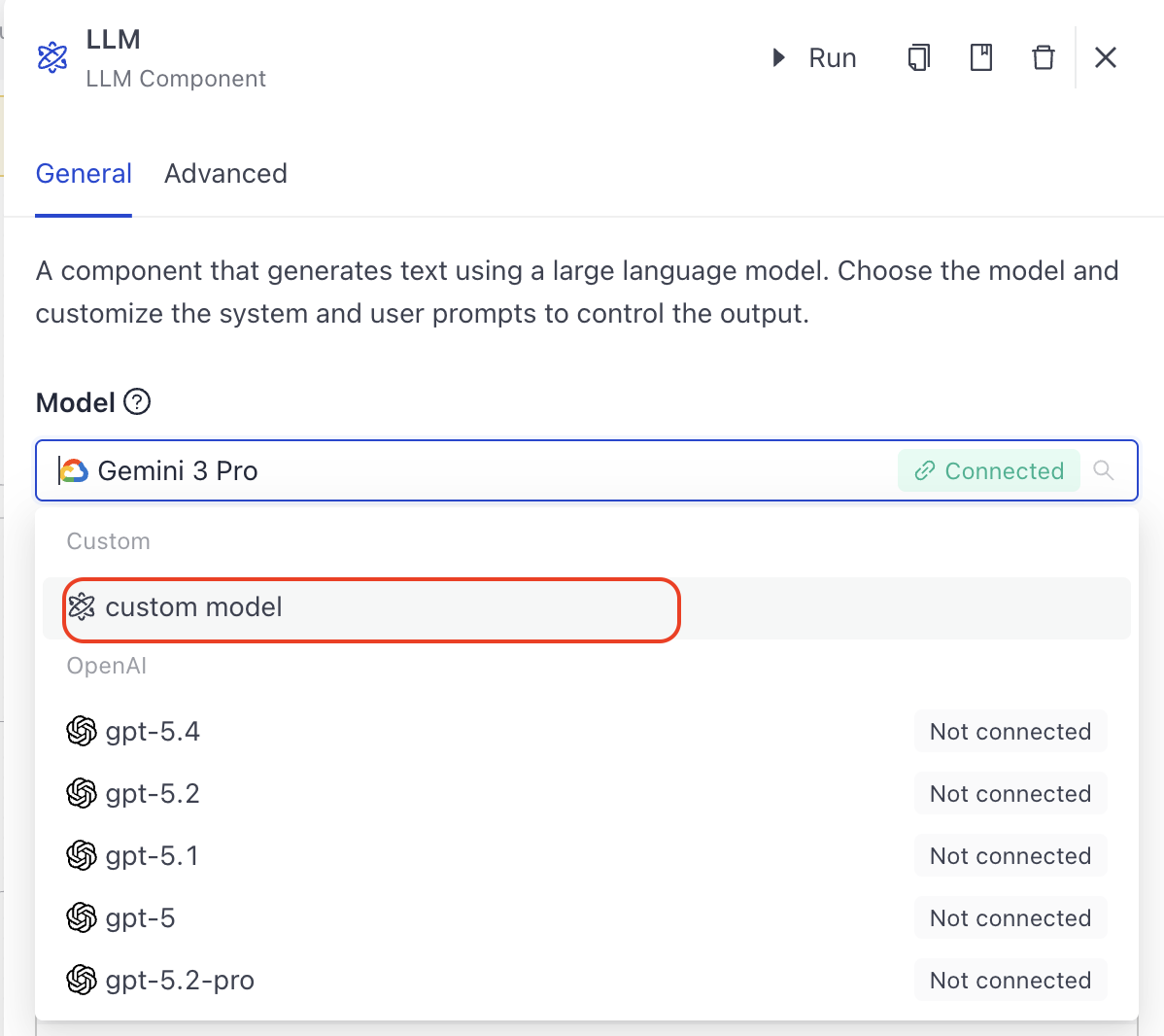
After you save a custom model, it appears in the list of available models on components that support models, such as LLM or Agent.
You can create custom models at two levels:
- Workspace: Available only in the current workspace.
- Organization: Available across all workspaces in your organization.
Prerequisites
- You must be an organization Admin to add custom model definitions for an organization, or have write access to a workspace to add custom model definitions to a workspace.
- You must have a valid API key from the model provider.
Add a Custom Model Definition
- In Haystack Enterprise Platform, click your profile icon and choose Settings.
- Go to Organization>Integrations (for organization-level custom models) or Workspace>Integrations (for workspace-level custom models).
- Find Custom Models and click Configure.
- Click Add model.
- Enter the following details:
- Model name: A descriptive name for your custom model
- Provider: Pick the model provider from the list. For a provider that is not listed, choose Custom.
- Configure the YAML settings:
- Chat Generator: Define the component configuration including API endpoints and authentication.
- Model Parameters: Specify model parameters, like temperature and max output tokens. These parameters are specific to the model provider you choose. Check the model provider's documentation for allowed parameters.
- Optionally, try the model to check if the configuration is working.
- Save your changes.
Use Custom Models in Pipelines
When you add a custom model to your pipeline, it creates a copy of that model. This means any changes you make to the model definition on the Integrations page do not affect the model in your pipeline. To update the model in your pipeline, edit the pipeline YAML configuration.
After creating a custom model definition, you can use it in your pipelines by choosing it from a list of available models when configuring AI components, like LLM or Agent. The model is shown alongside standard models in component configuration.
Manage Custom Models
You can update or delete custom model definitions. Changes you make to the model definition do not affect the model in your pipelines. To update the model in your pipeline, edit the pipeline YAML configuration.
- On the Integrations page, click Configure on the Custom Models Card. All custom model definitions are listed here.
- Click Edit next to the model definition you want to update, or Delete to remove it.
Related Information
Was this page helpful?