Release 2026.2
Coming in February: GPU acceleration for pipelines, editable Agent tools, simplified versioning, and more control over pipeline usage.
GPU Acceleration for Pipelines
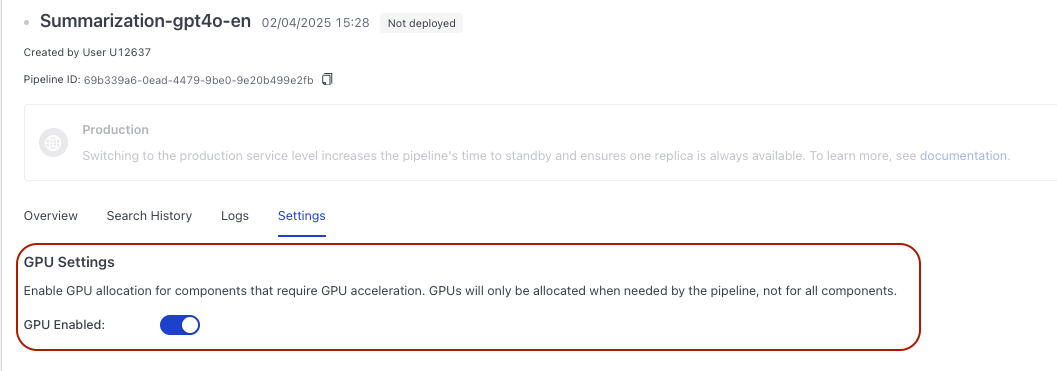
You can decide if your pipeline or index needs a GPU to run faster. Turn on GPU acceleration in the pipeline settings to enable it. If enabled, GPUs are only used when required and are not reserved for the entire pipeline run. For details, see GPU Acceleration.
For instructions on how to enable GPU acceleration, see:
Pipeline Editing: One Editor at a Time and Linear Version History
We've updated how pipeline editing works when more than one person works on the same pipeline. From now on, only one person at a time can edit a pipeline. While edited, the pipeline is locked for 60 seconds so others don't overwrite the same version.
Deploy always uses the latest version of the pipeline, so you can deploy quickly without choosing between drafts and versions.
Agent Tools Editable From the Agent Component
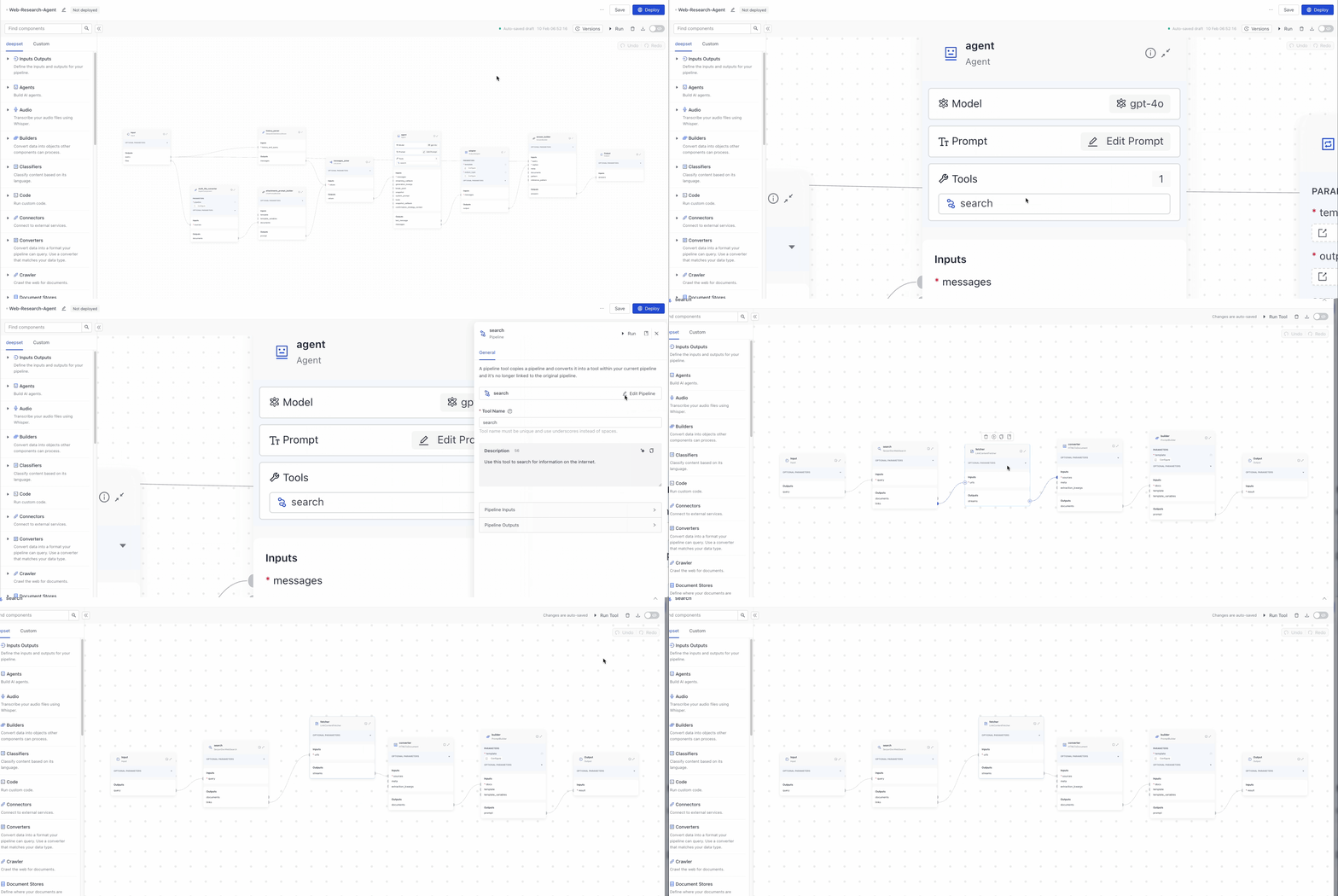
As promised, we're continuing to work on the Agent component. This February, we're bringing editable Agent tools. You can now edit agent tools directly from the Agent component card in Builder. No need to leave the canvas to change tool settings.
Control Your Pipeline Idle timeout
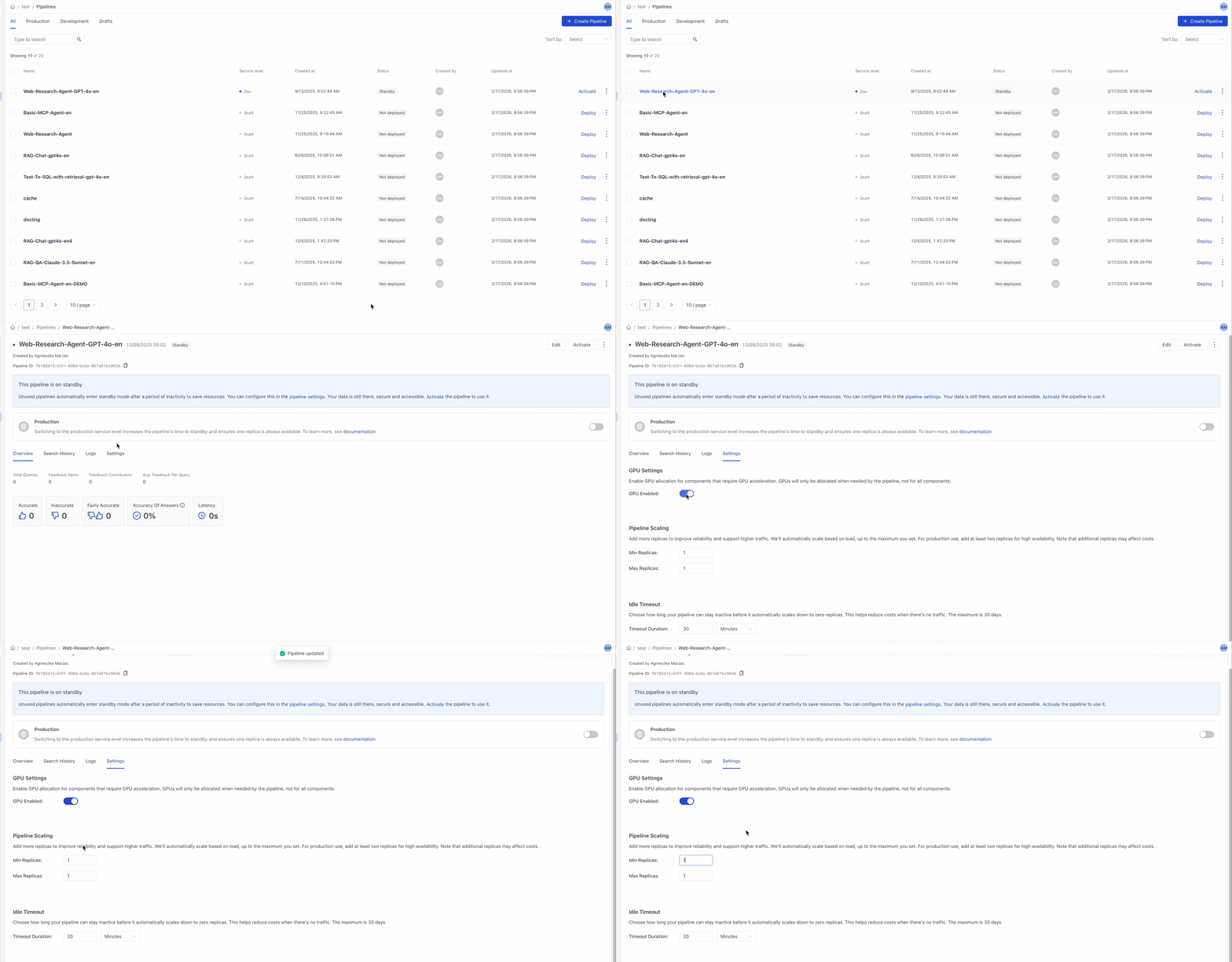
Unused pipelines become idle after a period of inactivity to save resources. By default, development pipelines become idle after 20 minutes and production pipelines after 24 hours. Now, you can control the idle timeout and customize it to your needs:
- Go to Pipelines and click the pipeline whose timeout you want to change. This opens the Pipeline Details page.
- Go to Settings and adjust the idle timeout.
You can also allocate replicas to your pipeline to ensure it's always available. For more information, see Pipeline Scaling.
Smarter AI For Custom Code
We've revamped the code component and made the AI in there smarter by:
- Teaching it what code dependencies are already available in Haystack Platform.
- Giving it Haystack Platform's documentation as context.
- Showing it the code of the component it's editing.
For help adding custom code to your pipelines, see Add a Code Component.
New Homepage
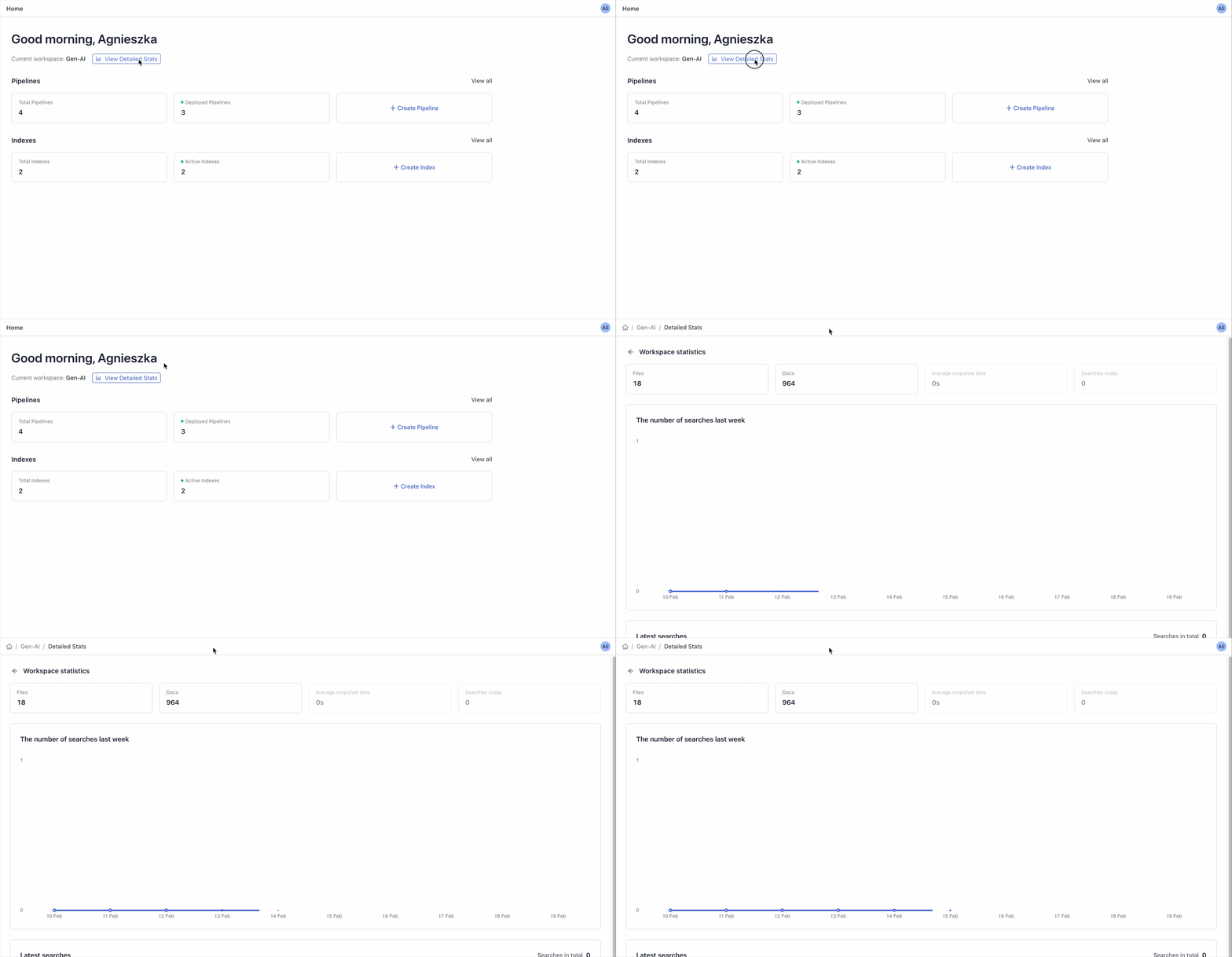
We've redesigned the homepage to help you move faster. Now you can:
- Create pipelines and indexes directly from the homepage.
- See your totals at a glance, including deployed pipelines and enabled indexes in your workspace.
If you need more details, click the top of the page to see full statistics, including total and latest searches and total files and documents.
Was this page helpful?