Release 2026.3
See what's coming in March.
Command Palette
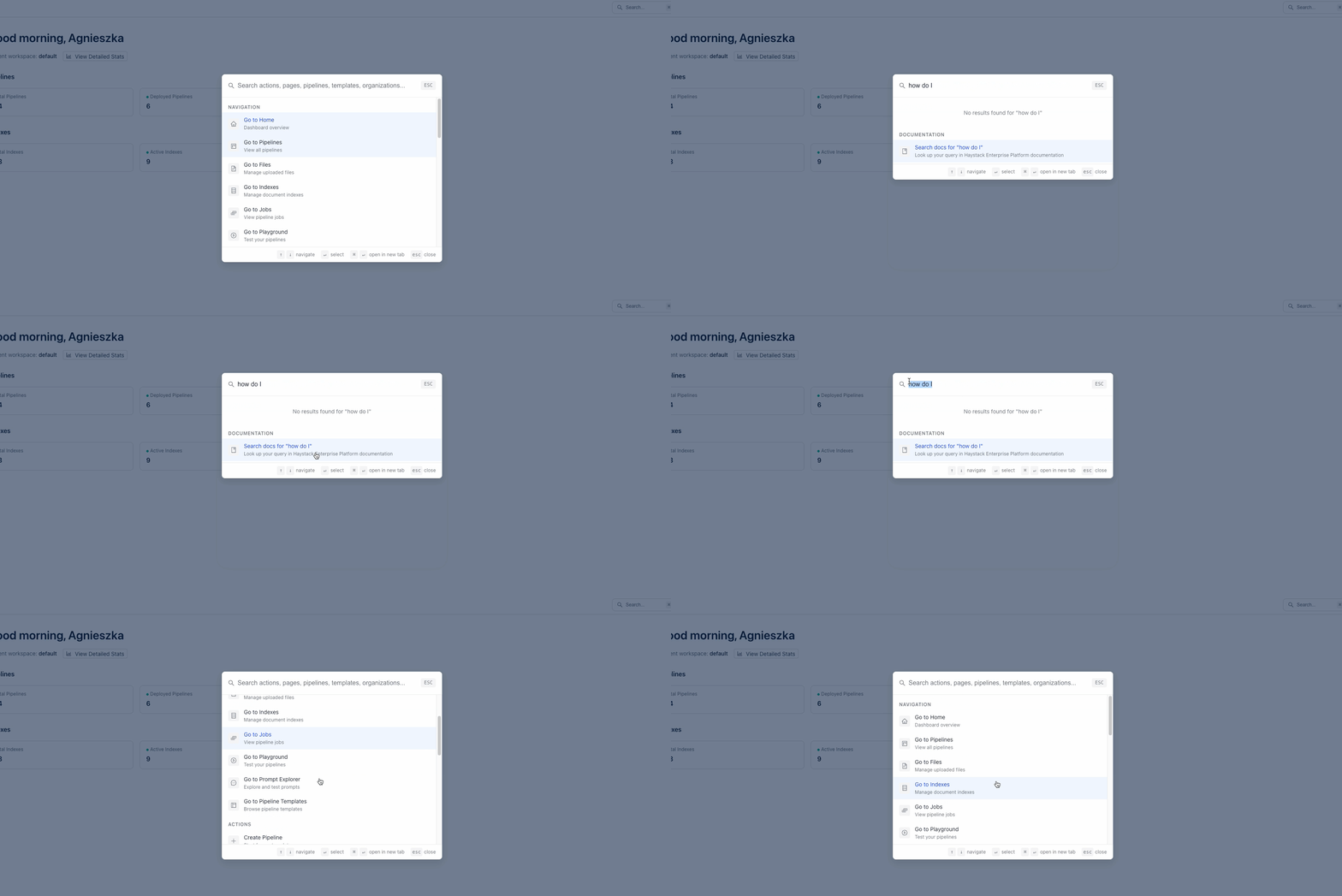
Find things faster with the command palette. Press Cmd+K (macOS) or Ctrl+K (Windows) to open it from anywhere in the platform. You can use it to quickly access your recent work, search documentation, find pipelines by name, and jump to any page or section directly, saving you multiple clicks.
Smarter Component Connections Resulting in Simpler Pipelines
We've simplified how components connect in pipelines. Components can now accept connections from multiple outputs of the same list type. For example, you can connect multiple retrievers directly to a ranker that accepts a list of documents, and the pipeline merges the lists into one automatically. This means you no longer need DocumentJoiner, ListJoiner, or OutputAdapter in most cases — your pipelines just got simpler.
Pipelines also handle automatic type conversions between string and ChatMessage in both directions. This lets you connect components like a ChatGenerator to inputs that expect plain text, or pass a query directly to a ChatPromptBuilder, without any extra conversion steps.
This is the first in a series of improvements to make building easier and faster.
For details, see Smart Connections. For instructions on how to simplify your existing pipelines, see Simplify Your Pipelines with Smart Connections.
Was this page helpful?