Release 2026.4
Check April's updates.
New Component Libraryβ
We've redesigned the component library. Components are now organized into groups by their function to make them easier to find and use. The component library itself is only visible in the visual view in Builder and you can expand and collapse it, whatever suits you best.
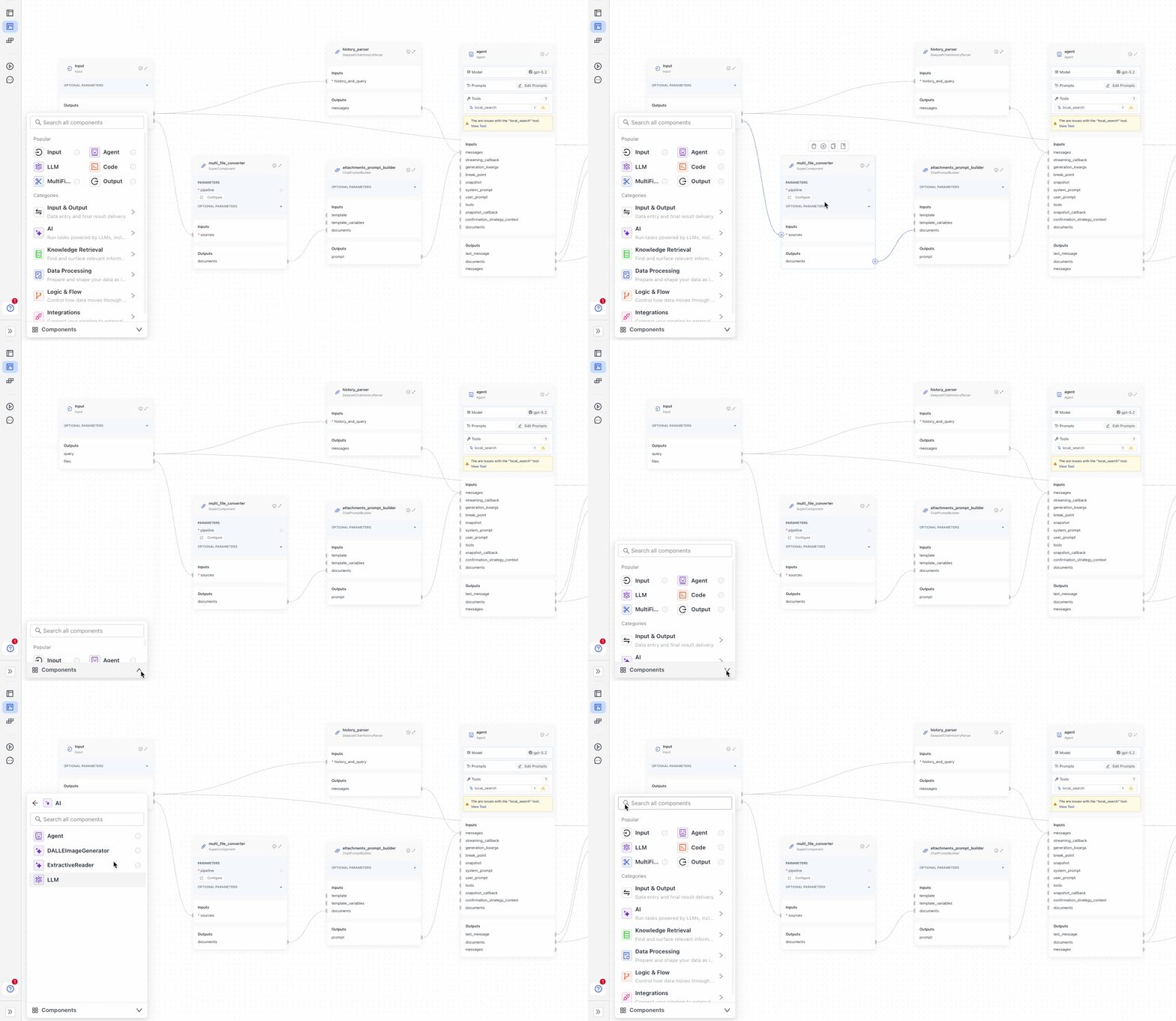
The new look is enabled by default, but you can still switch back to the old look in Settings.
Choose Pipeline Version in Playgroundβ
You can now choose the pipeline version you want to test in Playground. By default, the deployed version or the latest saved version is used, but you can test any version you choose.
New Feature in Command Paletteβ
The command palette just got an upgrade: when you're on the Builder canvas, press CMD + K to search for any component in your pipeline and we'll take you right to it. No more scrolling around to find the right component.

Code Component Updatesβ
Reusable Code Componentsβ
You can turn a Code component into a saved custom component and reuse it across pipelines. After you write and test your code in Builder, choose Save as Custom Component to store it for your workspace or, with the right permissions, for your whole organization. Saved components show up in the Custom tab in the Component Library, so you and your teammates can drag them into any pipeline like built-in components. Each pipeline gets its own copy of the code, so you can iterate on the saved version without changing pipelines that already use an older copy. You can review and remove saved components from Settings at the workspace or organization level.

For the full picture on custom components and the Code component workflow, see Custom Components and Add Custom Code.
Save and Reuse Custom Model Definitionsβ
Save custom model definitions with your preferred parameters in Integrations and reuse them across pipelines. Once saved, your model shows in the model list anywhere it's supported, like LLM or Agent components. You can use it instantly without reconfiguring settings.
Each reused model is a separate instance, so changes to the saved definition don't affect existing pipelines.
You can also choose the scope of the model: workspace or organization.
For details, see Add Custom Model Definitions.
Deprecated Update Pipeline API Endpointβ
The Update Pipeline API endpoint has been deprecated. Use the Update Pipeline Settings and Update Pipeline YAML Configuration endpoints instead. For details, see Edit Pipeline.
We'll continue to support the Update Pipeline endpoint for two months after the release of this version.
Pipelines Are Getting Simplerβ
We're still working on simplifying pipelines so that they're easy to build and maintain. In this release, we've eliminated the need for DeepsetChatHistoryParser and AnswerBuilder in most cases. You can now connect Input's messages output directly to the Agent's or LLM's messages input. messages include prior conversations from the search history.
Also, you no longer need AnswerBuilder in most cases. You can connect LLM or Agent directly to the Output component.
For details, see Simplify Pipelines.
Search History Leveled Upβ
We've turned the pipeline's search history into a powerful, customizable workspace so you can explore, understand, and revisit past queries like never before. Here's what's new:
- See the full story: Every query now lives in its original chat. Jump back in and get the complete context instantly.
- Go deeper with details: From user, answer, and rating to timestamps, query IDs, and reference metadataβyou've got the full picture at your fingertips.
- Make it your own: Customize your table view by choosing the columns that matter most to you. It's everything you need to connect the dots, uncover insights, and keep things moving faster and smarter.
For details, see Search History.
Choose the Components to Streamβ
Define which components stream results to the UI. Add streaming_components to the pipeline YAML and list all components that should stream their outputs. For details, see Streaming Components.
Groups Now Available for Index Pipelinesβ
You can now use the Groups feature when building index pipelines in Pipeline Builder. Groups let you visually organize components, collapse them to reduce clutter, and keep related steps together. Groups are saved with your index and restored when you reload the builder.
For details, see Create an Index.
Image Files Now Preview Correctlyβ
Image files uploaded to a file-in/file-out pipeline now render as images in Playground, instead of showing a broken preview. This applies to PNG, JPG, GIF, and WEBP files displayed in the chat, documents preview, sources, and references panels.
Was this page helpful?