Release 2026.7
Check what's coming in July.
Traces
You can now investigate pipeline execution traces directly in Haystack Platform, without leaving the platform. The new Traces tab on the Pipeline Details page shows a list of all executions for your pipeline, with status, query text, trace ID, source, duration, and timestamp for each one.
Use the search, status filter, and duration filter to find the traces you care about. Click any trace to open the Trace Detail page, where a three-panel view shows the full span tree, a waterfall timeline, and a details sidebar with tabs for overview, logs, tags, input, output, failure information, and more.
You can also navigate between traces and Search History: jump from a trace to its Search History entry, or open the Trace Detail page directly from a query's detailed view in Search History.
For details, see Monitor Pipeline Performance July 2026 brings updates to how agent pipelines handle chat history, adds more control over pipeline versions, and new models. And most exciting - an AI assistant ready to help you fix issues with your pipelines and indexes.
New OpenAI GPT-5.6 Models
Three new GPT-5.6 model variants are now available on the platform: GPT-5.6 Sol, GPT-5.6 Terra, and GPT-5.6 Luna. You can select them in the LLM or Agent component configuration in Builder.
GPT-5.6 models support a reasoning_effort parameter (none, low, medium, high, xhigh, max) and a reasoning_summary parameter (auto, concise, detailed) to control the depth and verbosity of the model's reasoning process. GPT-5.5 and GPT-5.5 Pro have also been updated with reasoning_effort (up to xhigh) and reasoning_summary support. You can set these parameters on the Advanced tab of the component configuration panel.
More Control Over Pipeline Versions
Two new actions are now available in the pipeline versions list in Builder:
- Finalize — converts a draft version into a permanent, numbered version. Use this when you want to lock in a draft without deploying it.
- Set as default — marks a non-draft version as the default. The default version is used by endpoints when a request identifies a pipeline by name or ID but does not specify a version. Default versions appear with a gold star Default tag in the versions list.
For details, see Manage Pipeline Versions.
AI Assistant in Builder
Builder now has a built-in AI assistant you can chat with directly in the pipeline editor. Click AI Assistant to open the chat panel and start a conversation.
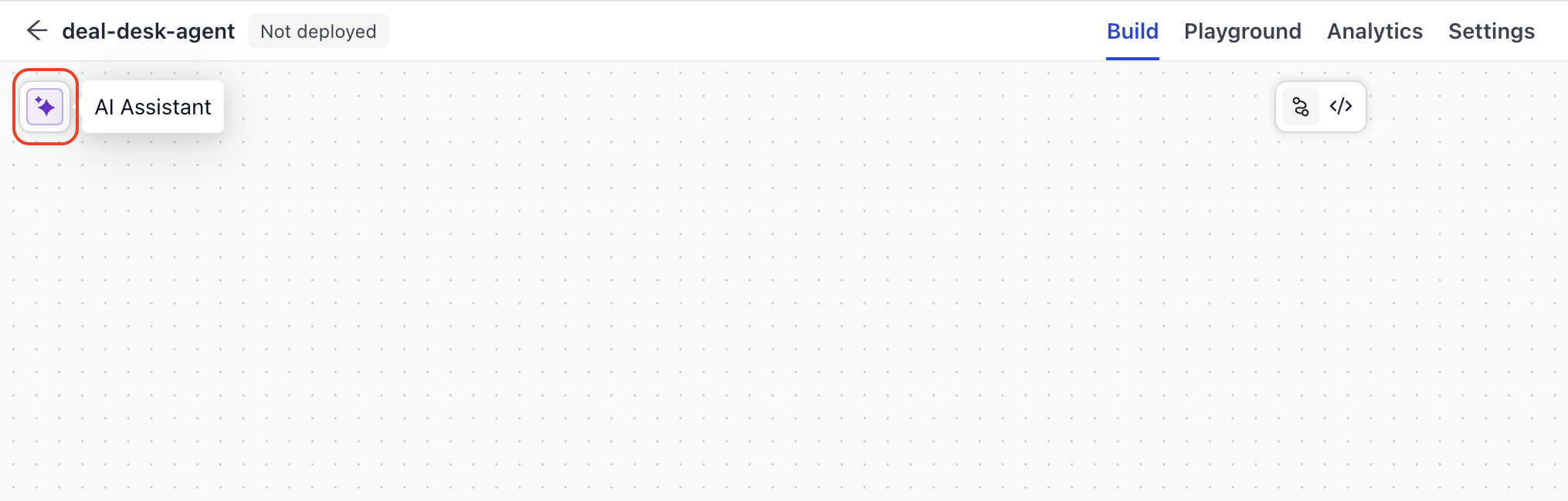
The AI assistant was designed with debugging in mind — you can describe a pipeline issue, paste error messages, or ask it to help you understand unexpected behavior. But it's not limited to debugging: you can also use it to get help with pipeline design, understand how components work, or explore other use cases as you build.
When you have issues listed in the Issues panel, you can also click Fix with AI next to any issue. The AI assistant opens, reasons through the fix, and can apply it for you.
For details, see Debug with Builder.
Bedrock Prompt Caching
Amazon Bedrock models now support prompt caching for system prompts. You can set the system_cachepoint_config_ttl for models hosted on Amazon Bedrock to cache your system prompt for 5 minutes ("5m") or 1 hour ("1h"), reducing latency and cost for repeated requests that share the same system prompt. The system prompt must stay static, with no parameters, for the cache to work. For details, see AmazonBedrockChatGenerator and Use Amazon Bedrock Models.
Full Message History for Agent Pipelines Beta
You can now control how much chat history is replayed to agent pipelines on each turn using the chat_history_granularity setting. By default, the platform sends only user query and final answer pairs to the pipeline (QUERY_ANSWER). Setting granularity to ALL_MESSAGES sends the complete message trace from the previous turn — including tool calls, tool results, and reasoning steps — so agents retain full context across follow-up requests.
You can set this per request through the API or as a pipeline-level default in the pipeline YAML under history.granularity:
history:
  granularity: all_messages
The API field chat_history_granularity accepts ALL_MESSAGES or QUERY_ANSWER (uppercase). The YAML field accepts lowercase values. If both are set, the API request value takes priority over the YAML default.
For details, see Agent Memory.
MultiRetriever Advanced Configuration
MultiRetriever now exposes advanced options for controlling how results from multiple knowledge sources are merged and returned. On the Advanced tab in Builder, you can configure:
- Join mode: Choose
reciprocal_rank_fusion(default) to score and rank documents across all sources, orconcatenateto combine and deduplicate without re-scoring. - Result limits: Set
top_kto limit the final number of documents after merging, ortop_k_per_retrieverto limit how many documents each source returns. - Default filters: Apply metadata filters to all configured retrievers at initialization.
You can also select which knowledge sources to query at runtime using the active_retrievers parameter. Pass a list of source names through the API, Playground, or pipeline YAML to run only a subset of configured retrievers on a given query.
When you set top_k, MultiRetriever uses reciprocal rank fusion to produce a consistent global ranking before truncating results — even if join mode is set to concatenate.
For details, see MultiRetriever.
Search History Export Improvements
Pipeline Version ID in CSV Export
You can now filter the search history CSV export by pipeline version ID. The export also includes a pipeline_version_id column. Each row shows the ID of the pipeline version that served the query, so you can compare behavior across versions or investigate queries tied to a specific deployment.
Feedback Created At Column
The Search History table and CSV export now include a Feedback Created At column that shows when a user submitted feedback for each query. This column is separate from Created At, which records when the query was made. The column appears by default in both extractive and generative pipeline history views. In the CSV, the column is named feedback_created_at and is empty when no feedback has been given for a query.
The search history CSV export now includes a pipeline_version_id column. Each row in the export shows the ID of the pipeline version that served the query, so you can compare behavior across versions or investigate queries tied to a specific deployment. For details, see Monitor Pipeline Performance.
Search History Status Column and Feedback on Failed Runs
The Search History table now shows a Status column for each run, indicating whether the run succeeded or failed. Runs with a Failed status no longer accept new feedback — the feedback actions are hidden for those rows and in the query detail drawer, while any existing ratings remain visible. For details, see Monitor Pipeline Performance.
SVG Logo Support for Shared Prototypes
You can now upload SVG files as brand logos in the Style tab of the Share prototype window, in addition to JPEG and PNG. If a logo upload fails, the prototype window now shows an error message so you can try again. For details, see Share a Pipeline Prototype. For details, see Monitor Pipeline Performance.
New Integration Components
Several new Haystack integration components are now available in Pipeline Builder:
- Audio transcription:
LocalWhisperTranscriber,RemoteWhisperTranscriber, andFunASRTranscriberconvert audio files into documents. - Document classification and extraction:
DocumentLanguageClassifierandTextLanguageRouter(LangDetect),TransformersZeroShotDocumentClassifier,TransformersTextRouter,TransformersNamedEntityExtractor,TransformersExtractiveReader, andSpacyNamedEntityExtractor. - File conversion:
AzureOCRDocumentConverterextracts text from scanned documents and images using Azure Form Recognizer.TikaDocumentConverterconverts a wide range of file formats using Apache Tika.TwelveLabsVideoConverteranalyzes video content. - Embedders and rankers: Sentence Transformers components compute embeddings and rank documents locally, including sparse and document-image embedders plus diversity and similarity rankers. TwelveLabs embedders support multimodal Marengo models.
- Connectors:
DatadogConnector,OAuthTokenResolver,OpenAPIConnector,OpenAPIServiceConnector,OpenAPIServiceToFunctions, andOpenTelemetryConnectorlet you integrate pipelines with external services and observability platforms. - Cloud file sources:
GoogleDriveFetcher,GoogleDriveRetriever,MSSharePointFetcher, andMSSharePointRetrieverfetch and search files from Google Drive and Microsoft SharePoint. - Search:
SearchApiWebSearchandSerperDevWebSearchretrieve web search results from SearchApi and Serper. - Generators:
OrcaRouterChatGeneratorroutes chat completions through OrcaRouter. - Document store:
ArangoDocumentStoreis now supported as an external document store integration, withArangoEmbeddingRetrieverfor vector search. See Document Stores for the full list of supported stores.
Tag Your Pipelines
You can now tag pipelines through the REST API to organize and filter them by topic, team, or environment. Add a tag with POST /api/v1/workspaces/{workspace_name}/pipelines/{pipeline_name}/tags and remove one with DELETE /api/v1/workspaces/{workspace_name}/pipelines/{pipeline_name}/tags/{tag_name}. Use GET /api/v1/workspaces/{workspace_name}/pipeline-tags to see all distinct tags used in a workspace, and pass ?tags= on the list pipelines endpoint to filter pipelines by one or more tags (matching is case-insensitive and returns pipelines with any of the listed tags).
Tag names can contain letters, numbers, spaces, underscores, and hyphens, with a maximum of 50 characters. Each pipeline can have up to three tags. For endpoint details, see the List Pipelines API reference.
Was this page helpful?